Who is advancing?
Every input that can move the show, where it plugs in or opens, and how you decide from the tech table who may press what, and when.
Before doors
1The advancers
| Advancer | Where it lives | Best for |
|---|---|---|
| USB presenter remote or DSAN Perfect Cue | Plugged into the Leader | A presenter in the room, the cable run to the tech table |
| The same, on a Slide driver | Plugged into any follower | Any presentation follower where it makes sense for the slides to be driven from |
| Fleet clicker link | A phone on the show network | A stage manager or presenter in the building |
| Internet clicker | A phone or laptop anywhere | A remote presenter (see Remote crew and screens) |
| KueSync Control NEXT and BACK | Any browser on the show network | You. Never limited by the rules below |
| Companion / Stream Deck | Companion pointed at the Leader | The tech table. See Companion and Stream Deck |
2USB remotes and Perfect Cue
Any standard USB presenter remote that sends arrows, Page Up/Down or Space works out of the box, and so does a Perfect Cue: plug it into the Leader and every Mac and PC advances together.
- Clicker on any follower: plug it into any follower and tick Slide driver beside that follower in Settings › Fleet › Followers. Its clicker, Perfect Cue and keys now drive the whole fleet, with the same sync as the Leader.
- On a Mac, the machine with the clicker needs Input Monitoring and Accessibility (KueSync menu › Permissions…). Only that Mac.
- The remote’s keys are watched only while a slideshow runs, so the keyboard is yours the rest of the time. Local Keyboard/USB always armed on the Leader’s card makes them drive the show whatever app is in front; it is off each time KueSync starts.
3Phone and internet clickers
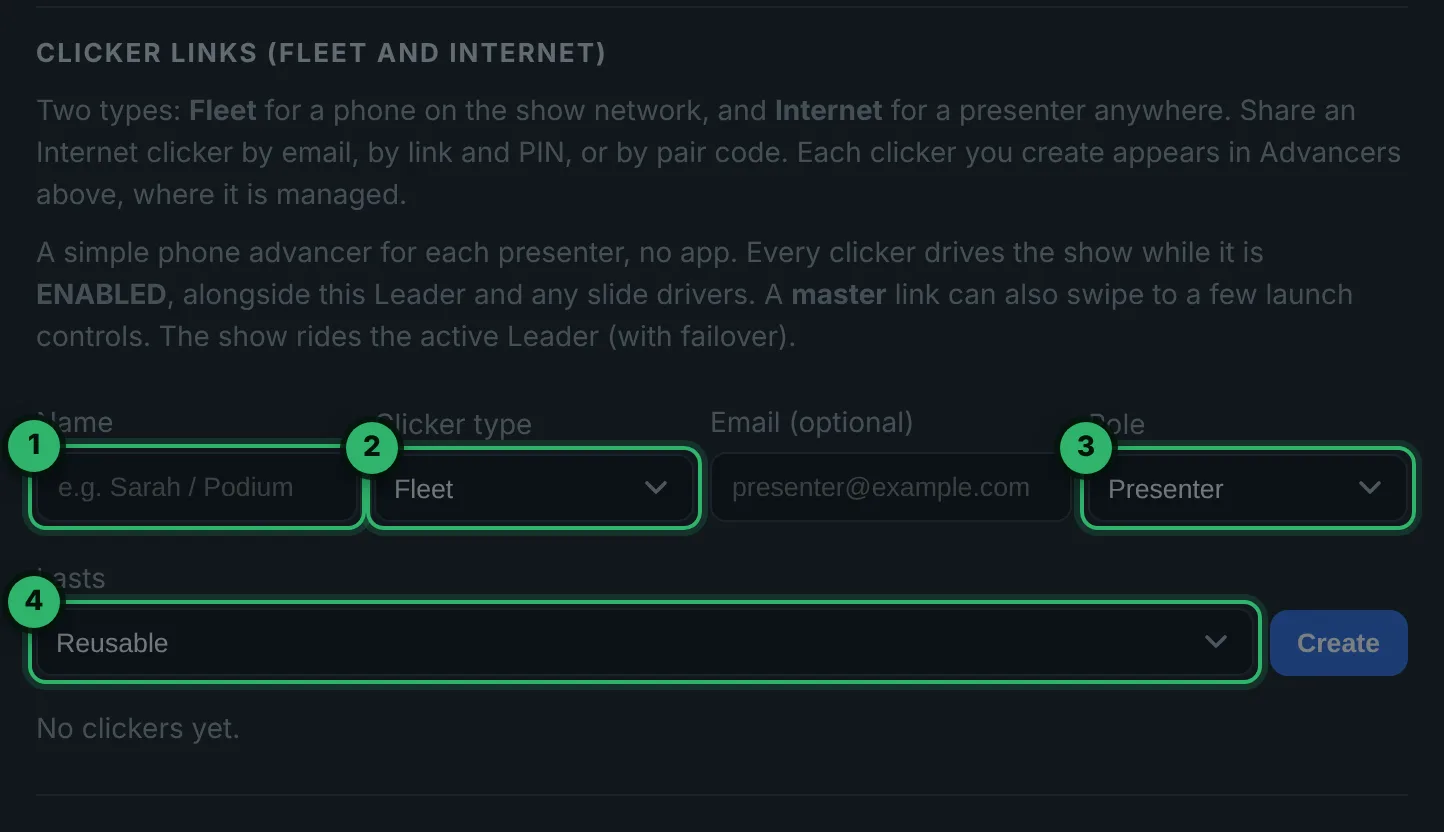
- 1Name it after the person: “SM Jo”, “Dr Patel remote”.
- 2Fleet for a phone on the show network; Internet for a presenter anywhere, shared by email, by link and PIN, or by pair code.
- 3Presenter drives the deck. Master also gets Go to slide, Restart and End, for the stage manager.
- 4Reusable for a recurring speaker; One session for a single show.
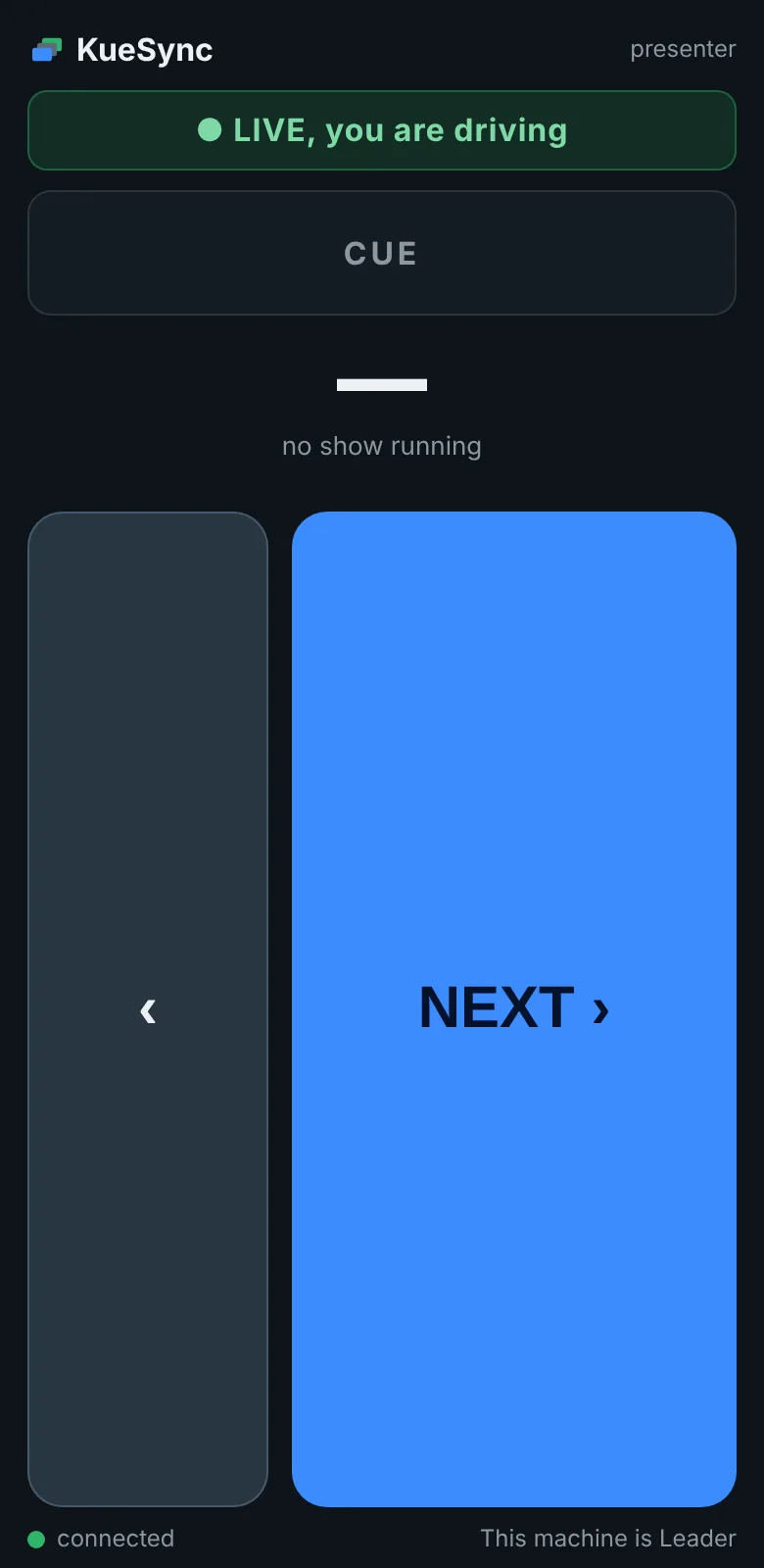
The phone shows a full-screen advancer: a big NEXT and a back button, a CUE lamp that flashes green and red, the slide, and a LIVE or STANDBY MODE banner. No app to install. On Advance only, the back button is gone.
Phone clickers on hotel Wi-Fi can’t reach the fleet. Plug a small access point of your own into the show switch and join the phones and the show machines to it.
4Decide who may press what
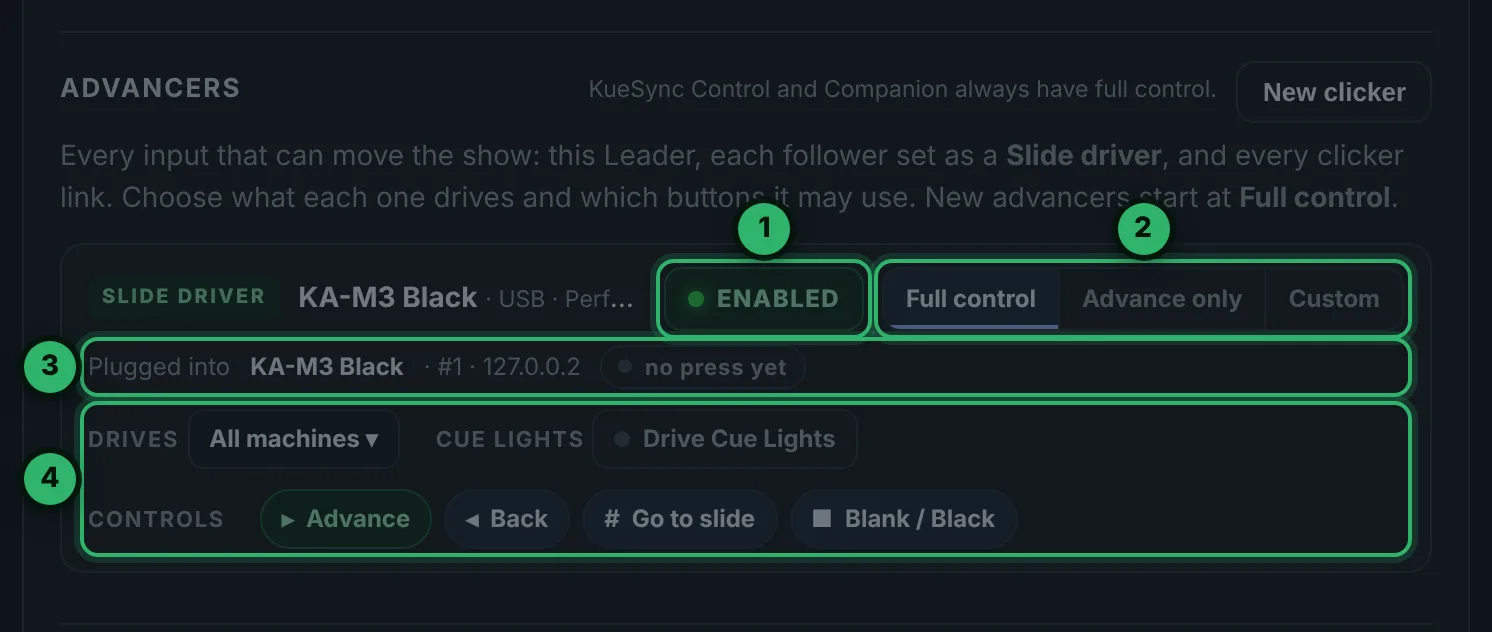
- 1ENABLED / DISABLED: every advancer drives while it is enabled. Turning one off asks first.
- 2Full control, Advance only (Next only: no Back, Go to slide or Blank, not even a Perfect Cue’s Blank button) or Custom.
- 3Plugged into: which machine it is on. Press the clicker and its row lights up.
- 4Drives: all machines, or one group, so each group can have its own clicker.
The same rows are in KueSync Control under Click control and its ⧉ Advancers pop-out, so you can work them from the show page. A blocked press shows on the Cue Lights as a red outline.
During the show
5During the show
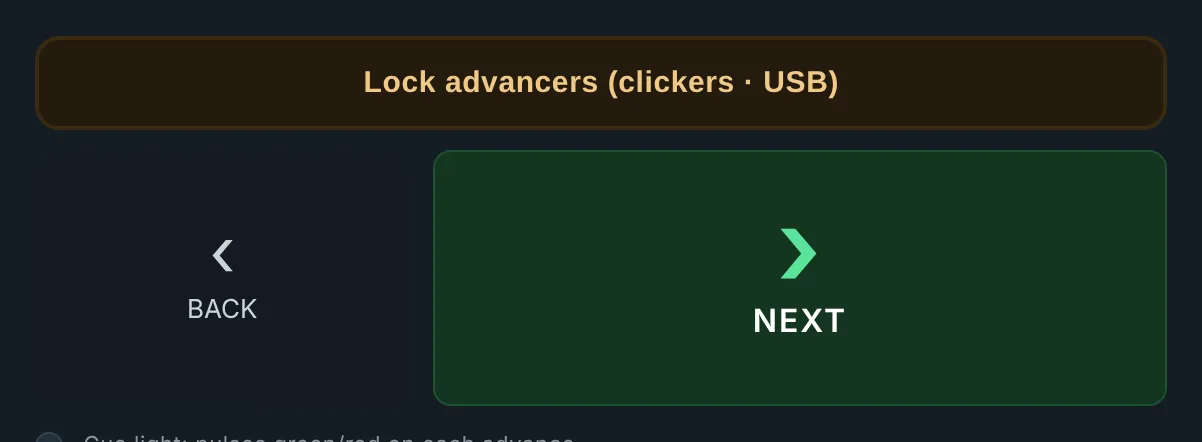
- Lock advancers for walk-in, video roll-ins and Q&A: every clicker and USB remote is held; KueSync Control and Companion keep full control. The button flashes red the whole time. Tap again to release.
- Pull a clicker after its presenter’s segment: switch it to DISABLED, and the phone shows STANDBY MODE.
- Your override is always KueSync Control’s NEXT and BACK.
Troubleshooting
| What you see | Fix |
|---|---|
| The clicker does nothing | On a Mac, allow Input Monitoring and Accessibility on the machine it is plugged into. Check its advancer is ENABLED, Lock advancers is off, and it drives the machines with the deck. |
| A clicker on a follower does nothing | Tick Slide driver for that follower on the Leader. If someone turned it off at the follower, turn it back on from the Leader or KueSync Control. |
| The presenter keeps going back by accident | Set that advancer to Advance only. |
| A phone clicker says STANDBY MODE | Its link is disabled. Enable it in Advancers or KueSync Control. |
| A phone clicker on hotel Wi-Fi won’t connect | Guest Wi-Fi keeps devices apart. Use your own access point on the show switch. |
| Number keys on a slide driver jump slides | On a Slide driver, number keys go to the slide jump while Keynote or PowerPoint is in front. Use Advance only, or Ignore local clicks on a follower that only displays. |
Pre-show checklist
- Every clicker pressed once; its row lit and every screen moved.
- Mac machines with a clicker: Permissions all Allowed.
- Presenters on Advance only unless they need Back.
- Phone and internet clicker links sent and tested with each person.
- You know where Lock advancers is.